
 Himadri
 Table of Contents
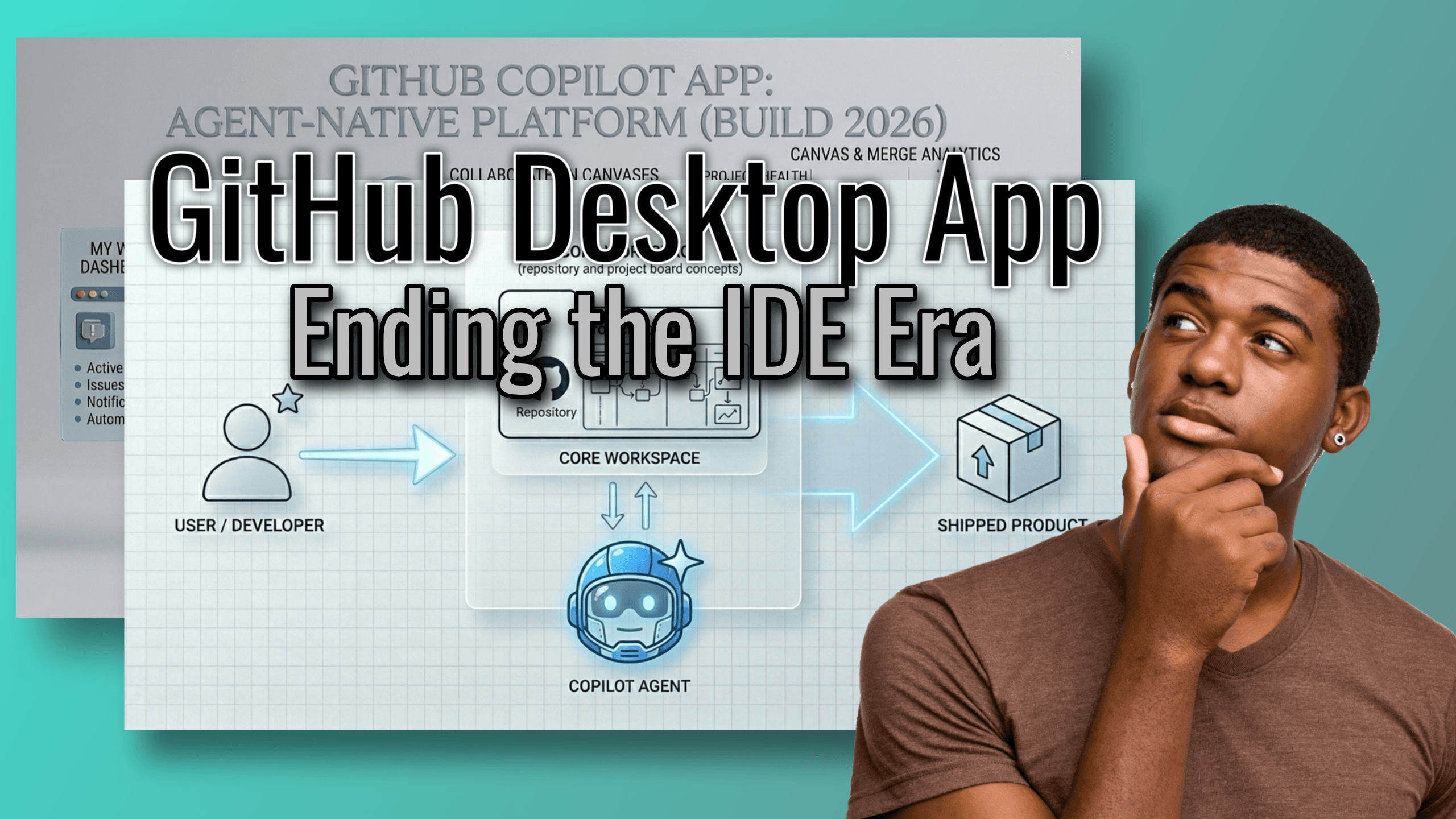
GitHub has introduced the Copilot desktop app, a platform designed for agent-native software development. Shifting beyond simple chat interfaces, the application allows developers to coordinate multiple autonomous AI agents simultaneously. These agents manage complete development lifecycles, including writing code and running tests within isolated environments to ensure system stability.
The platform features integrated dashboards and visual canvases to streamline workflows and reduce context switching. By supporting the Model Context Protocol, it connects agents directly to local data and enterprise tools. This infrastructure aims to transform the developer role into a supervisory position managing parallel engineering tasks.
While I was scouring the web for the top computer of 2026, comparing the latest benchmarks and high-end configurations, a sudden alert flashed across my screen. This unexpected update was so significant that it forced me to stop and fundamentally reconsider the specific hardware components—and the sheer amount of local processing power—that a modern developer truly requires in this rapidly evolving digital landscape.
The ping on my screen was a breaking announcement from Microsoft Build 2026. The headline wasn’t about a new processor architecture or a revolutionary benchmark in RAM speed. Instead, it was about GitHub completely rewriting the rules of software engineering. GitHub Copilot is officially shifting from a helpful AI autocomplete assistant into a full-blown, agent-native development platform. And they are doing it by launching a dedicated GitHub Copilot desktop app in a technical preview.
For the last few years, we’ve been living in the era of the “chat box.” We highlight code, we ask a question, we get a snippet, and we paste it back. It was revolutionary in 2023, but in 2026, it feels like using a pocket calculator to land a spacecraft.
The new Copilot desktop app changes the paradigm entirely. It acts as an orchestration home—a central command center where you don’t just talk to an AI; you deploy, run, supervise, and coordinate multiple AI coding agents working simultaneously in parallel. Let’s break down exactly what this means, how it works, and why it’s going to fundamentally change how you build software.
The Paradigm Shift: Welcome to Agentic Development
To understand why this desktop app is such a massive leap, we have to talk about “agentic development.”
Until now, AI has been reactive. You write a prompt, the AI gives an output, and the transaction ends. If you need the AI to do something else, you have to initiate a new transaction, provide the context all over again, and guide it step by step. It requires heavy hand-holding.
Agentic development moves away from these basic chat interfaces and into a system where AI can execute complete, end-to-end development lifecycles. Under human oversight, an agent can look at a problem, break it down into steps, navigate your file system, write the code, test it, and submit it for review. The AI transforms from a fancy typewriter into a junior developer working alongside you. The GitHub Copilot desktop app is the first environment built from the ground up specifically to manage this new reality.
No-Context-Switch Workflows
If you measure the time you spend actually writing code versus the time you spend navigating Jira, reading GitHub issues, switching IDE tabs, running terminal commands, and managing Git branches, the results are usually depressing. Context switching is the ultimate productivity killer.
The new Copilot app introduces true No-Context-Switch Workflows. Imagine this: you grab an open issue from your GitHub repository. Instead of cloning the repo, opening your IDE, finding the right files, and figuring out where to start, you simply click a button in the Copilot app to launch an agentic session.
The agent reads the issue, isolates the files, writes the code, fixes the bugs, and takes the entire task all the way to a pull request—all without you ever having to leave the Copilot application. You act as the director, guiding the high-level logic while the agent handles the boilerplate, the syntax, and the navigation.
The End of the Single-Track Mind: Parallel Agent Coordination
Perhaps the most mind-bending feature announced at Build 2026 is Parallel Agent Coordination.
In a traditional IDE, you are bottlenecked by your own attention span. You can only actively work on one complex problem at a time. If you are fixing a brutal race condition in your backend, you cannot simultaneously be tweaking the CSS on your frontend navigation bar.
The Copilot desktop app shatters this limitation. Instead of managing a single chat box, you can deploy multiple specialized agents at the same time.
Here is what a typical morning might look like using this system:
- Agent 1 is assigned to track down and patch a memory leak you discovered in your database connection pool.
- Agent 2 is actively building out the boilerplate for a new payment gateway feature you need to ship by Friday.
- Agent 3 is autonomously going through feedback on a pull request you submitted yesterday, updating the code to satisfy the reviewer’s comments.
You sit in the center, acting as the technical lead. You watch their progress, approve their architectural decisions, and merge their work. You are no longer just a coder; you are a multiplier. You are an engineering team of four, contained entirely within one human mind and one desktop app.
Keeping the Chaos Contained: Isolated Git Worktrees
The immediate reaction most veteran developers have when hearing about “parallel AI agents writing code simultaneously” is sheer panic.
What happens when Agent 1 renames a utility function that Agent 2 is currently trying to import? What happens when Agent 3 force-pushes a broken test suite?
GitHub anticipated this code-collision nightmare. To prevent multiple running agents from breaking your local code, overwriting your uncommitted changes, or stepping on each other’s toes, the Copilot app utilizes Isolated Git Worktrees and cloud sandboxes.
A git worktree allows you to check out multiple branches of the same repository in different directories simultaneously. Copilot leverages this heavily. When you assign an agent a task, the desktop app silently spins up an isolated worktree (or a secure cloud sandbox if you prefer offloading the compute).
The agent does all its thinking, coding, and breaking inside this quarantined environment. It doesn’t touch your main working directory. It doesn’t mess with your active branch. Only when the agent has successfully completed the task and you have reviewed the diff does the code get integrated. It provides total psychological safety, allowing you to let the agents experiment aggressively without fear of destroying your local environment.
The Unsung Hero: Model Context Protocol (MCP) Support
If you want to know the real secret sauce that makes all of this work, it’s the native support for the Model Context Protocol (MCP).
Historically, one of the most frustrating parts of using AI for coding has been context gathering. If you want the AI to write a query, you have to manually copy-paste your database schema into the chat. If you want it to use an internal company API, you have to paste the documentation. This “messy text prompting” is tedious and error-prone.
MCP is a standardized protocol that acts like a secure bridge between the AI and your external data sources. Because the Copilot app supports MCP servers natively, your agents can connect securely and directly to your local file systems, your live databases, and your enterprise development tools (like Jira, Slack, or internal wikis).
You no longer have to explain the environment to the AI. Through MCP, the AI can simply “look” at the database schema itself. It can read the internal API docs on its own. It acts with full context of your enterprise’s unique architecture, resulting in code that actually compiles and fits your specific stack on the first try.
Inside the Command Center: The Core Interface Surfaces
Moving away from the traditional IDE required GitHub to invent entirely new ways for humans to interact with code. The desktop experience is broken down into three distinct, brilliantly designed areas.
1. The My Work Dashboard
Think of this as your morning newspaper and mission control combined. The My Work Dashboard is a unified control center that aggregates everything you care about across all your connected repositories.
It displays your active agent sessions (showing you exactly what Agent 1, 2, and 3 are currently doing), your open issues, your pull request notifications, and background automations. Instead of opening six different browser tabs to check the status of your projects, the dashboard gives you a god’s-eye view of your entire development universe.
2. Canvases: Visualizing the Matrix
This is where the magic of human-AI collaboration truly shines. Canvases are bidirectional visual boards where developers and AI agents collaborate in real-time.
Code is inherently linear, but systems are visual. When you ask an agent to build a microservice, it doesn’t just start spitting out code. It maps out the plan on the Canvas. It draws the architecture, sets up terminal environments, and even displays browser deployments right on the board.
Because the Canvas is bidirectional, you can interact with it. If you don’t like the way the agent routed a data pipeline, you can visually drag, drop, edit, or redirect the task on the Canvas. The agent instantly understands your visual feedback and updates the underlying code to match. It bridges the gap between high-level system design and low-level code implementation flawlessly.
3. Agent Merge: The CI/CD Handshake
Writing code is only half the battle; getting it into production safely is the other. Agent Merge is a feature that directly monitors your Continuous Integration and Continuous Deployment (CI/CD) pipelines.
You can set highly customized autonomy levels for your agents. For a low-risk internal tool, you might give the agent high autonomy—allowing it to write the code, automatically rerun failed tests, and fully merge the code once it satisfies your company’s existing branch protection rules.
For core infrastructure, you can set the autonomy lower. The agent will write the code, run the tests, and then pause, pinging you for a final human sign-off before the merge. It integrates seamlessly into your existing security and quality assurance workflows.
The Final Polish: Features for the Developer Experience
Beyond the massive architectural shifts, GitHub packed the app with quality-of-life features that show they truly understand how developers work day-to-day:
- Integrated Browser: You no longer need to constantly alt-tab between your code and Chrome. The app features an integrated browser, allowing agents to instantly spin up local web servers and let you test web apps locally, side-by-side with the code.
- Ephemeral Chats & Secret Gists: Sometimes you just want to bounce a quick, stupid idea off the AI without saving it to your project history. Copilot offers quick ephemeral chats that disappear when you are done. If the chat results in something brilliant, you can instantly export the conversation as a secret gist to share with a coworker.
- Multi-Account Login: For those of us juggling a day job enterprise account and a weekend open-source account, the app supports seamless multi-account login, preventing the dreaded credential-clash dance.
Looking Ahead
Finding out about the GitHub Copilot desktop app at Microsoft Build 2026 made me realize that the bottleneck in software development is no longer the speed of our computers—it’s the speed at which we can translate our ideas into architecture.
By moving to an agent-native platform, GitHub isn’t just saving us keystrokes. They are saving us cognitive load. They are allowing us to focus on the why and the what of software engineering, while the parallel agents handle the how.
The technical preview is rolling out now, and it is poised to change the industry just as dramatically as Git did when it first arrived. You can track the official rollout or sign up for access directly via the official GitHub Blog announcement.
Where do we go from here?
If you’re ready to start preparing your workflow for this shift, there are a few technical avenues you can explore right now. If you are interested, let me know if you would like me to:
- Detail how the Model Context Protocol (MCP) specifically changes the way AI agents interact with your existing tools, databases, and APIs.
- Explain how to set up Git worktrees manually so you can start practicing isolated, parallel workflows in your current environment today.
- Walk you through the process of signing up for the official GitHub Copilot desktop app technical preview.
